WooCommerce has become a popular solution for building online stores with WordPress. It allows businesses to sell physical products, digital downloads, subscriptions, and services through a website. However, every business has different needs, and the standard features of an online store may not always be enough. This is where woocommerce plugin development becomes useful, helping store owners add custom features, improve shopping experiences, and manage their operations more efficiently. 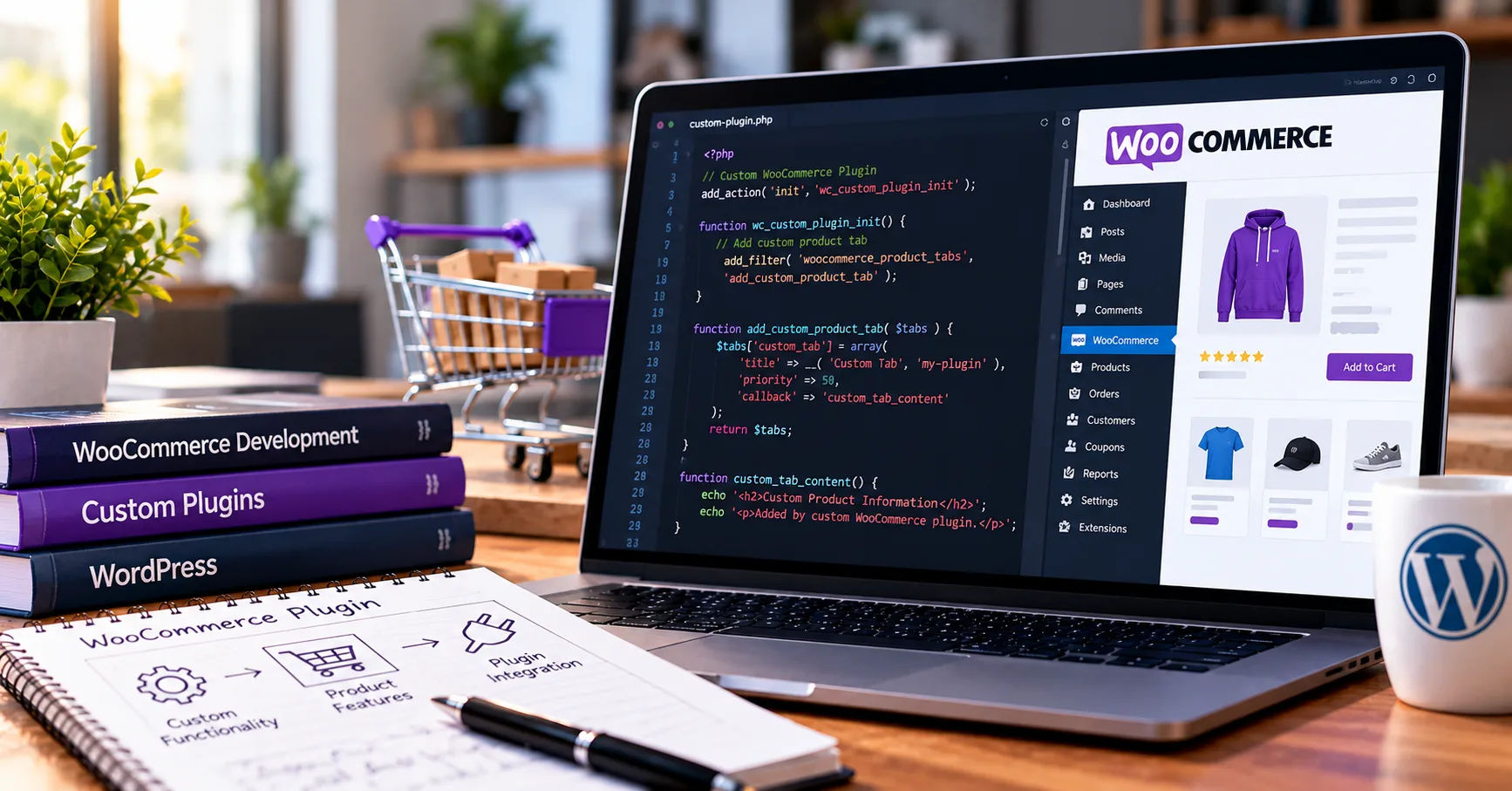 Whether a business wants a special payment option, automatic shipping calculations, advanced product filters, or a custom checkout process, plugins can make these improvements possible. Instead of rebuilding the entire website, developers can extend WooCommerce with additional functionality that fits the store's requirements.
Understanding how plugins work can help business owners make better decisions about their online stores. It can also help aspiring developers learn how to create useful tools for e-commerce websites. From planning and writing code to testing, installing, and maintaining a plugin, each step plays an important role in creating a reliable solution.
What Is WooCommerce Plugin Development?
WooCommerce plugin development is the process of creating software extensions that add new features or change existing functionality in a WooCommerce store. WooCommerce itself operates as a plugin for WordPress, turning a standard website into an online shopping platform.
Additional plugins allow developers to customize how the store works without changing WooCommerce's core files. This is important because updates to WordPress and WooCommerce can overwrite direct changes to core software, potentially causing problems or removing custom features.
A well-designed plugin keeps its functionality separate from the main platform. This makes the website easier to maintain and helps developers update their code when the store's requirements change.
Why Are WooCommerce Plugins Important?
Every online business operates differently. A small clothing store may need size-based product filters, while a digital marketplace may require vendor management and commission calculations.
Plugins help businesses meet these needs without developing an entirely new e-commerce platform. They can also reduce manual work by automating repetitive tasks, such as sending notifications, calculating discounts, or synchronizing inventory.
For example, a store selling products internationally might use a custom plugin to calculate delivery charges based on destination, package weight, and shipping method. Another store might need a loyalty system that awards points whenever customers complete purchases.
These improvements can make a store easier to manage and more convenient for customers.
Common Types of WooCommerce Plugins
Developers create different plugins depending on the problems a business wants to solve.
-
Payment plugins: Connect stores with payment gateways and support secure transaction processing.
-
Shipping plugins: Calculate delivery costs, display shipping methods, and connect with shipping providers.
-
Product management plugins: Add product options, custom fields, bundles, or advanced filters.
-
Marketing plugins: Support coupons, loyalty programs, email campaigns, and promotional offers.
-
Inventory plugins: Track stock levels, manage product availability, and synchronize inventory.
-
Reporting plugins: Provide sales reports, customer insights, and business performance information.
-
Checkout plugins: Improve checkout layouts, add fields, or simplify the purchasing process.
The best plugin depends on the store's goals, budget, technical requirements, and existing software.
How Does WooCommerce Plugin Development Work?
Creating a WooCommerce plugin involves several stages. Developers first identify a business requirement, then plan the solution, build the necessary functionality, and test it before making it available on a live website.
Each stage helps ensure that the finished plugin works correctly and does not interfere with other parts of the store.
Step 1: Identify the Business Requirements
The first step is understanding what the plugin should accomplish. Developers usually discuss the problem with the store owner and determine which features are necessary.
Suppose an online store wants customers to select gift wrapping during checkout. Before writing code, the developer must decide how the option will appear, whether it will cost extra, how the selection will be saved, and whether it should appear on the order confirmation.
Clear requirements prevent confusion later in the project. They also help developers estimate the time, cost, and technical effort involved.
At this stage, it is useful to separate essential features from optional improvements. This approach keeps the initial project manageable and allows additional features to be introduced later.
Step 2: Plan the Plugin Structure
After collecting the requirements, the developer plans the plugin's structure. This includes identifying the files, functions, settings, and WooCommerce components needed to deliver the required functionality.
A simple plugin might need only one main PHP file and a small stylesheet. A larger plugin could contain separate files for administrative settings, frontend features, database operations, and external service integrations.
Good planning also considers security, performance, compatibility, and future maintenance.
Developers should check whether an existing plugin already provides the required functionality. If a suitable solution exists, configuring it may be more practical than building a new one from scratch.
Step 3: Set Up the Development Environment
Developers generally build and test plugins in a local WordPress installation or a staging website before deploying them to a live store.
A typical development environment includes WordPress, WooCommerce, PHP, a database such as MySQL or MariaDB, and a code editor. Tools such as Git can help track changes and restore earlier versions of the code.
Using a separate environment protects the live store from unfinished features and unexpected errors.
It is also important to use versions of PHP, WordPress, and WooCommerce that match the project's intended compatibility requirements.
Step 4: Create the Plugin Files
A WordPress plugin needs a main PHP file containing a valid plugin header. This header identifies the plugin and provides information such as its name, version, and description.
For example, a plugin might use a folder named custom-store-tools with a main file named custom-store-tools.php.
The plugin header tells WordPress that the file represents an installable plugin. Developers can then add functions and connect them to WordPress or WooCommerce through supported hooks.
As the plugin grows, additional files can organize its different responsibilities. This makes the code easier to understand, test, and maintain.
Step 5: Use WordPress and WooCommerce Hooks
Hooks are a central part of plugin development. They allow developers to connect custom code to specific events or stages in WordPress and WooCommerce without modifying the original software.
There are two main types of hooks.
Actions allow code to run when a particular event occurs. For example, a plugin can respond when an order is created or display additional information on a product page.
Filters allow developers to modify a value before it is used or displayed. For example, a plugin might adjust the text shown for a shipping method or change certain product information.
Using hooks properly makes plugins more flexible and reduces the risk of conflicts with platform updates.
Developers should choose hooks that match the intended task and verify that they remain appropriate for the WooCommerce versions the plugin supports.
Step 6: Build the Required Features
Once the basic structure is ready, the developer implements the features defined during planning.
A plugin that adds gift wrapping might introduce a checkbox on the product or checkout page. It would then need to save the customer's selection, apply any relevant charge, and make the information available in the order details.
A shipping plugin could use a different approach. It might collect the destination, retrieve package information, calculate a delivery estimate, and return available shipping options.
The implementation depends on the feature, but reliable code should always validate input, handle errors, and account for unusual situations.
For example, a developer should consider what happens if a customer changes the cart after selecting an option or if an external service becomes temporarily unavailable.
Step 7: Add an Administration Interface
Many plugins need a settings page where store administrators can control how the features work.
An administration interface might allow the owner to enable or disable a feature, enter API credentials, set additional fees, choose supported countries, or customize customer-facing messages.
Developers should make these settings understandable and provide clear instructions for configuration.
They must also ensure that only authorized users can change sensitive settings. WordPress capabilities, nonces, and proper input validation help protect administrative actions.
A good interface makes the plugin easier to use, even for store owners who have little technical knowledge.
Step 8: Test the Plugin Thoroughly
Testing is essential because an error in an e-commerce plugin can affect orders, payments, customer information, or the overall shopping experience.
Developers should test the main features under realistic conditions and check what happens when customers enter invalid information or leave required fields incomplete.
For example, a checkout plugin should be tested with different cart contents, customer addresses, shipping options, and payment methods.
Compatibility testing is equally important. A plugin should be checked against the supported versions of WordPress, WooCommerce, PHP, and relevant third-party extensions.
Developers should also review error logs, test mobile layouts when the plugin affects the frontend, and check whether the new functionality slows down the website.
Automated tests can help identify problems earlier, while manual testing remains useful for checking complete customer journeys.
Step 9: Install and Deploy the Plugin
After testing, the developer prepares the plugin for installation. Depending on the project, it can be installed as a ZIP file through the WordPress administration dashboard or deployed through a controlled development workflow.
For an existing store, using a staging environment before production deployment is strongly recommended.
The developer should create a backup, confirm that the plugin's dependencies are available, and verify that the store continues to function after activation.
A deployment plan should also explain how to disable or roll back the plugin if a serious problem occurs.
Once the plugin is active, the developer should test its main features again in the intended environment.
Step 10: Maintain and Update the Plugin
Plugin development does not end when the software is installed. WordPress, WooCommerce, PHP, payment services, and other connected systems may change over time.
These changes can affect how a plugin behaves. Regular maintenance helps address compatibility issues, fix bugs, improve performance, and strengthen security.
Developers should monitor error reports, review user feedback, update dependencies, and test new releases before deploying them.
For plugins that connect to external services, developers must also consider changes to APIs, authentication methods, and service limits.
Ongoing maintenance keeps the plugin dependable and helps protect the business from avoidable interruptions.
Which Technologies Are Used in WooCommerce Plugin Development?
Several technologies work together to support a WooCommerce plugin. Understanding their roles makes the development process easier to follow.
PHP
PHP is the primary server-side programming language used by WordPress and WooCommerce. It handles much of the plugin's logic, including processing settings, responding to hooks, and interacting with WordPress functions.
Developers use PHP to define the behavior of a plugin and connect it with existing platform features.
Writing clean, organized PHP helps make the software easier to test and maintain.
HTML and CSS
HTML defines the structure of content displayed on a website, while CSS controls its visual appearance.
These technologies help developers create settings screens, product options, notices, and other interface elements.
A plugin that adds a product customization form, for instance, may use HTML for the form fields and CSS to make them fit the store's design.
JavaScript
JavaScript supports interactive features in the browser. It can update parts of a page, respond to user actions, validate fields, or provide dynamic product options.
More advanced WooCommerce features may use JavaScript frameworks or the WordPress block editor's development tools.
Developers should choose frontend technologies that match the feature and the WooCommerce interfaces involved.
Databases and APIs
WordPress commonly uses MySQL or MariaDB to store website information. Plugins may use WordPress options, metadata, or custom database tables, depending on the type of information being stored.
Whenever possible, developers should use established WordPress and WooCommerce data functions instead of accessing internal database structures directly.
APIs serve a different purpose. They allow a plugin to exchange information with external services, such as shipping providers, payment processors, accounting systems, or inventory platforms.
API integrations must handle authentication, timeouts, invalid responses, and temporary service failures carefully.
What Are the Benefits of Custom WooCommerce Plugins?
Custom plugins can provide practical advantages when an online store needs features that standard extensions cannot deliver adequately.
Greater Flexibility
A custom plugin can be designed around a business's specific workflow. Instead of forcing employees to adapt to a generic solution, the software can support the way the company actually operates.
This is especially useful for businesses with specialized products, unusual pricing rules, or complex order requirements.
Improved Efficiency
Automation can reduce repetitive work and help employees focus on more valuable tasks.
For example, a plugin might automatically assign order labels, update inventory information, or send internal notifications when an order meets specific conditions.
Reducing manual steps can also decrease the risk of human error.
Better Customer Experience
Customers often prefer stores that are easy to navigate and simple to use.
Custom product options, clear delivery estimates, improved checkout fields, and helpful order information can make shopping more convenient.
However, every additional feature should serve a clear purpose. Too many unnecessary options can confuse customers or slow down the purchasing process.
Integration With Existing Systems
Businesses may already use accounting software, customer relationship management platforms, warehouse tools, or external delivery services.
A custom plugin can connect WooCommerce with these systems when suitable APIs or integration methods are available.
Successful integration can reduce duplicate data entry and help keep business information consistent across different platforms.
Control Over Future Improvements
When a business owns or commissions a custom solution, it can plan future enhancements around changing needs.
The exact level of control depends on the licensing agreement, ownership of the source code, and any third-party dependencies.
These details should be agreed upon before development begins.
How Much Does WooCommerce Plugin Development Cost?
The cost depends on the complexity of the features, the developer's experience, the quality requirements, and the amount of testing and maintenance needed.
A small plugin that adds a simple setting or display feature generally requires less work than a plugin integrating several external systems.
The following factors commonly affect the budget.
-
Feature complexity: Advanced pricing rules, custom checkout processes, and complex calculations require more development.
-
Integration requirements: Connecting external APIs can increase implementation and testing time.
-
Design requirements: Custom interfaces and responsive layouts may require additional frontend work.
-
Security requirements: Payment-related features and sensitive data processing need careful security reviews.
-
Testing requirements: Supporting several WooCommerce versions or third-party extensions increases the testing workload.
-
Maintenance: Future updates, bug fixes, and compatibility improvements may involve ongoing costs.
Before approving a project, businesses should request a clear scope of work, delivery milestones, testing plan, maintenance terms, and details about source-code ownership.
A low initial price does not necessarily represent the best value. Poorly maintained or insecure code can create much higher costs later.
Security Best Practices for WooCommerce Plugins
Security deserves special attention because online stores handle customer details, order records, and sometimes payment-related information.
Developers should follow established WordPress and WooCommerce security practices throughout the development process.
Validate and Sanitize Input
Information submitted through forms, URLs, or external requests should be checked before the plugin uses it.
Validation confirms that the information meets the expected requirements. Sanitization helps clean input for its intended use.
Developers must also escape output appropriately when displaying information in HTML, attributes, or other contexts.
Check Permissions and Nonces
Administrative actions should be restricted to users with the appropriate capabilities.
WordPress nonces help protect certain actions against cross-site request forgery, but they do not replace permission checks or other security controls.
Sensitive operations should use the appropriate combination of authorization, request verification, and input validation.
Protect Sensitive Information
API credentials and other secrets should not be exposed in public pages, frontend JavaScript, or unnecessary logs.
Payment integrations should use supported provider libraries and follow the payment processor's security requirements. A plugin should not store raw payment card details unless there is a specific, compliant, and appropriately secured reason to do so.
Keep Dependencies Updated
Outdated software may contain known security weaknesses.
Developers should monitor the libraries and platform versions their plugin depends on and apply necessary updates after testing.
Security reviews should also consider database queries, file uploads, remote requests, and the permissions granted to the plugin.
Common Challenges in WooCommerce Plugin Development
Although plugin development offers flexibility, some projects involve technical challenges that require careful planning.
Compatibility Problems
WooCommerce stores often use several plugins and a customized theme. Two extensions may attempt to modify the same checkout area or depend on different versions of a shared library.
Developers can reduce these conflicts by using supported hooks, minimizing unnecessary dependencies, and testing the plugin with common configurations.
Performance Issues
Poorly written queries, excessive API calls, and unnecessary scripts can make a store slower.
Developers should load resources only when needed, avoid repeated database operations, and cache suitable information when appropriate.
Performance testing should include realistic product catalogs and traffic patterns whenever possible.
Changing Platform Features
WooCommerce evolves over time, and certain interfaces may be deprecated or replaced. Checkout Blocks, for example, can require different integration methods from older shortcode-based checkout implementations.
Developers should consult current documentation and verify that their chosen approach supports the store's checkout experience.
Unclear Requirements
A project can become expensive when new features are added repeatedly without adjusting the schedule or budget.
A written scope, agreed acceptance criteria, and a process for approving changes help prevent misunderstandings.
How to Choose the Right WooCommerce Plugin Developer
Choosing a capable developer is important for both the initial project and its long-term success.
Start by reviewing the developer's experience with WordPress, WooCommerce, PHP, and the types of integrations the project requires.
Ask for examples of similar work, but remember that a portfolio alone does not guarantee code quality or security.
A good developer should explain technical decisions in understandable language and identify risks before they become expensive problems.
They should also discuss testing, documentation, backups, deployment, and future maintenance rather than focusing only on getting the feature working.
Before starting, clarify who owns the source code, whether third-party licenses are required, how updates will be handled, and what support is included after delivery.
These discussions help establish realistic expectations and make it easier to maintain the plugin after the original development project ends.
Conclusion
WooCommerce plugins help businesses expand the capabilities of their online stores without rebuilding the entire e-commerce platform. They can introduce specialized product options, improve checkout processes, automate daily tasks, connect external services, and provide better control over business operations.
The process begins with identifying a real business need and defining the features required to solve it. Developers then plan the plugin structure, prepare a suitable development environment, create the necessary files, and use WordPress and WooCommerce hooks to connect their code with existing functionality. After implementation, the plugin must be tested, deployed carefully, and maintained as the surrounding software evolves.
Successful woocommerce plugin development requires more than writing code. Developers must understand business requirements, select suitable technologies, protect customer information, maintain compatibility, and ensure that the finished solution performs reliably. Testing and documentation are just as important as the initial implementation because they help prevent problems and make future updates easier.
Businesses should also consider the long-term costs of custom plugins. A well-planned solution can save time, improve customer satisfaction, and support growth, while poorly designed software may introduce security risks, compatibility problems, or unnecessary maintenance expenses.
The most effective approach is to start with a clear goal, prioritize essential features, and work with a developer who values security, performance, and maintainability. By following these principles, store owners can build useful extensions that fit their needs and support a dependable shopping experience as their businesses grow.